
Back
Merge Pictures Release Notes - Select Output File Type
Release Date: 2025-12-16
Update Type: ✨ New Feature
Key Update
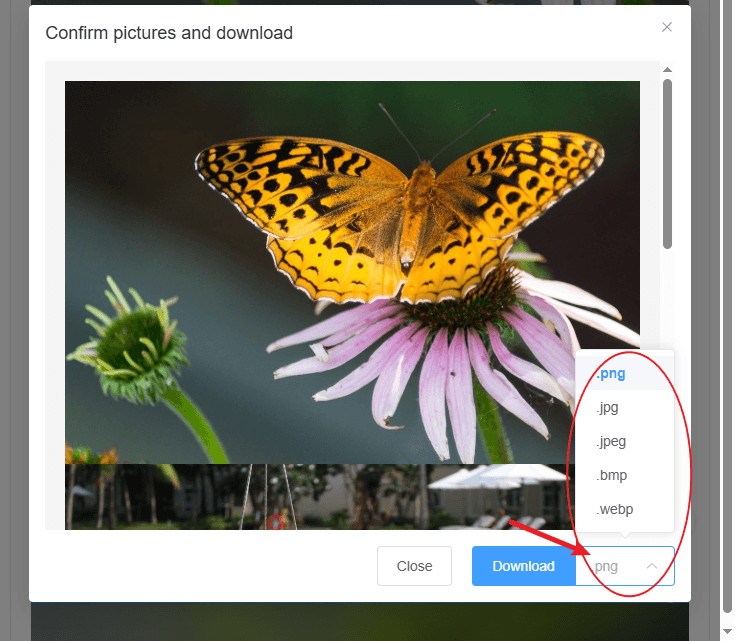
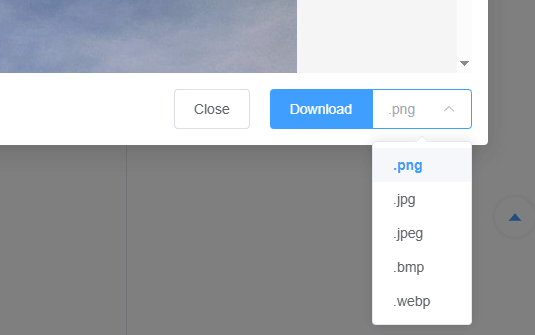
Previously, merged images could only be downloaded as PNG files. You can now choose the output file format before saving, including PNG, JPG, JPEG, BMP, and WEBP.
Feature Details
- After completing an image merge, go to the download/save section;
- Use the file type/format option to select your preferred output extension;
- Currently supported formats:
.png,.jpg,.jpeg,.bmp,.webp.
Main Benefits
- Flexibly match different platforms, tools, and usage scenarios that require specific image formats;
- Reduce the need for extra format conversion steps after downloading;
- Allow users to better balance image quality and file size by choosing the most suitable format.