
Image Merge Engine Upgrade
Update date: 2026-08-18
Update type: Core improvement
Native Canvas engine
The home and Grid image merge tools now use the browser's native Canvas instead of taking a screenshot of the rendered DOM. Canvas directly draws image positions, dimensions, gaps, outer borders, rounded corners, backgrounds, and cover cropping, while the existing preview interactions remain unchanged.
This reduces the dependency on full DOM and CSS screenshot rendering and provides a more stable foundation for future output-size and export improvements. Image processing still happens entirely in the local browser.
Export formats and file size
Exports are now created as Blobs and encoded according to the selected download format:
- PNG: lossless and suitable for transparent backgrounds, text, and graphics. Its size is usually similar to other PNG exports.
- JPEG: suitable for photo collages and usually smaller than PNG. Transparent areas are filled with white.
- WebP: offers a useful balance between image quality and file size.
- BMP: Canvas does not provide a consistent native BMP encoder, so this option falls back to PNG with a
.pngextension.
JPEG and WebP currently use approximately 86% export quality. If the format is changed in the preview dialog, the download is re-encoded using the current selection so the extension matches the actual content.
Quick background presets
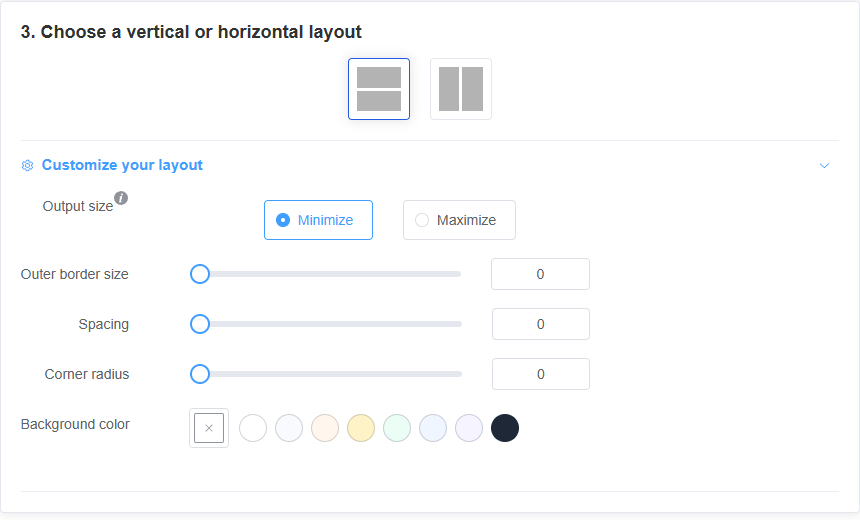
The background color controls on the home and Grid pages now include clickable presets: white, mist gray, warm orange, soft yellow, mint, sky blue, lavender, and charcoal.
Click a swatch to apply it immediately, or keep using the color picker for a custom color. The background affects the outer border, image gaps, areas revealed by rounded clipping, and the appearance of transparent images.
Improved vertical preview
The home preview now uses layout-specific scrolling. Vertical layouts constrain their content to the preview width and hide horizontal scrolling, while horizontal layouts retain horizontal scrolling for wide merged images. The width constraint prevents images from being clipped when the scrollbar is hidden.
Privacy remains unchanged
Image selection, layout calculation, Canvas rendering, format encoding, and downloading all happen in the user's browser. Images are not uploaded to the server or processed by third parties.